




Creating a productive home office environment is essential for anyone looking to work effectively from home. Whether you are remote working temporarily or have made your home office a permanent fixture, the right setup can make a big difference to your focus and comfort. Here, we share practical tips to help you design a workspace that promotes efficiency and well-being.
Why a Productive Home Office Matters
Working from home comes with many benefits, such as flexibility and saving commuting time. However, without a well-organised and pleasant workspace, distractions can creep in and productivity may drop. Investing time to improve your home office is worth it as it can enhance concentration, reduce stress, and improve your overall work quality.
—
1. Choose the Right Location
Find a Dedicated Space
Having a separate area dedicated solely to work helps your brain switch into “work mode.” This could be a spare room, a corner of your living room, or a quiet nook. Avoid working from your bed or sofa, as these areas are often associated with relaxation.
Consider Natural Light and Ventilation
Position your desk near a window if possible. Natural light boosts mood and alertness. Good ventilation keeps the air fresh and prevents fatigue. If natural light is limited, invest in quality desk lamps with adjustable brightness and tone.
—
2. Invest in Comfortable and Functional Furniture
Ergonomic Chair and Desk
An ergonomic chair supports your posture and reduces back strain. Pair this with a desk that suits your height and working style — adjustable desks that allow you to alternate between sitting and standing are especially popular.
Organise Your Desk Space
Keep only essentials on your desk to avoid clutter. Use organisers, trays, or drawers to keep stationery and documents tidy.
—
3. Minimise Distractions
Manage Noise Levels
If you are in a noisy environment, try noise-cancelling headphones or play white noise or instrumental music to help maintain focus.
Set Boundaries
If you share your space with others, communicate your working hours clearly to minimise interruptions.
—
4. Optimise Technology and Equipment
Reliable Internet Connection
A strong and stable internet connection is vital for virtual meetings, online research, and document sharing.
Essential Tech Tools
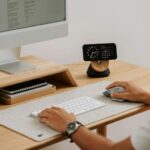
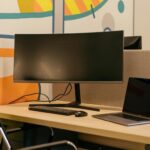
Ensure your computer, monitor, keyboard, and mouse are comfortable and efficient to use. Consider dual monitors if your tasks involve multitasking or working with multiple windows.
Charging and Cable Management
Keep cables organised with clips or cable boxes to avoid mess and accidents. Place charging stations within easy reach.
—
5. Create a Personal and Motivating Environment
Add Plants and Personal Touches
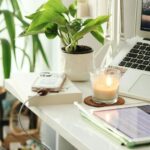
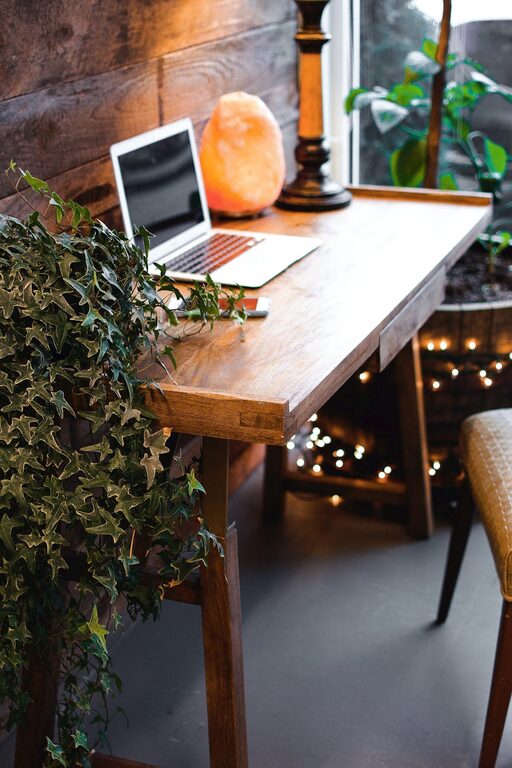
Plants can improve air quality and add a refreshing green touch. Personal photos, inspiring quotes, or art can make your workspace welcoming and boost morale.
Use Colours Wisely
Soft and neutral tones tend to create a calm atmosphere, while brighter colours like yellow can spark creativity. Choose colours based on your preference and the mood you want to set.
—
6. Prioritise Organisation and Time Management
Use Calendars and To-Do Lists
Keep a calendar or planner to schedule tasks and deadlines. To-do lists help prioritise and keep track of progress.
Regularly Declutter
Set time weekly or monthly to tidy and remove unnecessary items. A clean workspace often leads to clearer thinking.
—
7. Take Breaks and Move Around
Follow the 20-20-20 Rule
To reduce eye strain, every 20 minutes look at something 20 feet away for 20 seconds.
Stretch or Walk
Regular movement prevents stiffness and improves circulation. Consider short breaks to stretch or walk around your home.
—
Final Thoughts
Creating a productive home office environment involves more than just picking a desk and chair. Thoughtful choices involving location, furniture, technology, and atmosphere contribute to a workspace that supports your focus and comfort. Start small and gradually adapt your space to meet your personal needs — the benefits to your productivity and well-being will be well worth the effort.