

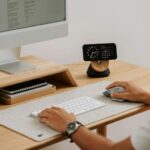






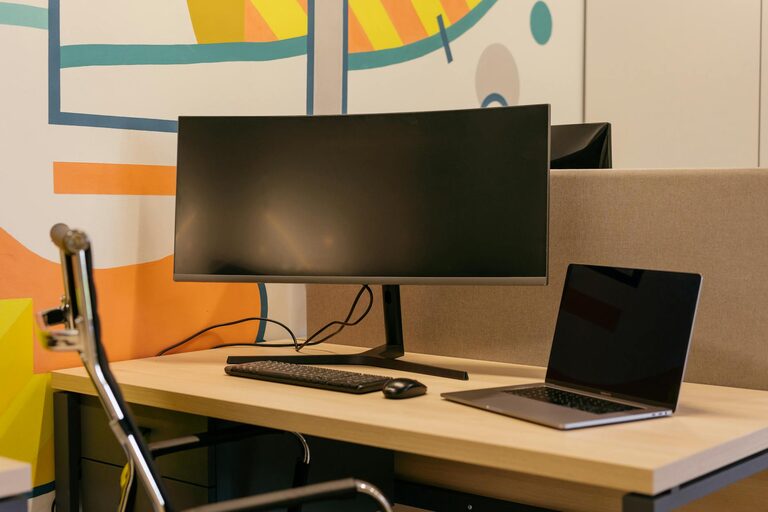
Working from home has become increasingly common, and having a comfortable, well-organised home office space is essential for maintaining focus and motivation. Whether you’re new to remote work or looking to improve your current setup, creating a space that supports your productivity can make a huge difference.
In this guide, we’ll explore practical tips to help you design a home office that is both comfortable and efficient.
Choose the Right Location
Finding the best spot for your home office is the first step.
– Quiet Area: Look for a space with minimal noise and distractions. If possible, select a room with a door to separate work and home life.
– Natural Light: Position your desk near a window to benefit from natural daylight, which can improve mood and reduce eye strain.
– Space Availability: Ensure there is enough room for your desk, chair, and any additional equipment or storage you may need.
Invest in an Ergonomic Chair and Desk
Comfort during long working hours is crucial to avoid physical discomfort or strain.
– Ergonomic Chair: Choose a chair that supports good posture, with adjustable height and lumbar support.
– Desk Height: Your desk should allow your arms to rest comfortably at a 90-degree angle when typing.
– Consider Standing Desks: A sit-stand desk can be a great addition, allowing you to alternate between sitting and standing throughout the day.
Organise Your Workspace Efficiently
A tidy, well-organised office can significantly boost your productivity.
– Declutter Regularly: Keep only the essentials on your desk to reduce distractions.
– Storage Solutions: Use shelves, drawers, or filing cabinets to organise documents and supplies.
– Cable Management: Employ cable organisers to keep cords neat and prevent tangles.
Optimise Lighting
Good lighting helps reduce eye strain and keeps you alert.
– Natural Light: Maximise daylight but avoid glare on your screen.
– Task Lighting: Use an adjustable desk lamp to illuminate your work area effectively.
– Ambient Lighting: Soft room lighting contributes to a comfortable atmosphere without harsh shadows.
Minimise Distractions
Creating boundaries can help maintain focus.
– Set Boundaries: Inform family or housemates of your working hours.
– Use Headphones: Noise-cancelling headphones can block out background sounds.
– Limit Digital Interruptions: Switch off non-essential notifications during work periods.
Personalise Your Space
Adding personal touches can make your office welcoming and motivating.
– Plants: Indoor plants improve air quality and add a calming effect.
– Artwork: Choose inspiring images or colours that boost creativity and positivity.
– Comfort Items: Incorporate items like cushions or a cosy throw to make the space inviting.
Maintain a Good Routine
A supportive environment works best when paired with good habits.
– Regular Breaks: Follow techniques like the Pomodoro method to take short, frequent breaks.
– Physical Activity: Stand or stretch regularly to reduce stiffness.
– Stay Hydrated: Keep a water bottle nearby to encourage regular hydration.
Use Technology Wisely
Equip your home office with the right tools for a smooth workflow.
– Reliable Internet: A strong connection is essential for virtual meetings and research.
– Quality Equipment: Invest in a good monitor, keyboard, and mouse to improve efficiency.
– Backup Solutions: Use cloud storage or external drives for data safety.
Keep It Clean and Fresh
A clean workspace supports mental clarity.
– Daily Tidying: Spend a few minutes at the end of each day organising your desk.
– Air Quality: Open windows regularly or use air purifiers to keep fresh air circulating.
—
Creating a comfortable and productive home office doesn’t require a complete overhaul – simple changes can make your work environment far more enjoyable and effective. By focusing on comfort, organisation, and minimizing distractions, you’ll be able to maintain better focus and enjoy your work-from-home routine.